Your voice stays here.
Speech recognition runs on your computer. After model setup, you can dictate offline. No account, no cloud transcription, no analytics.
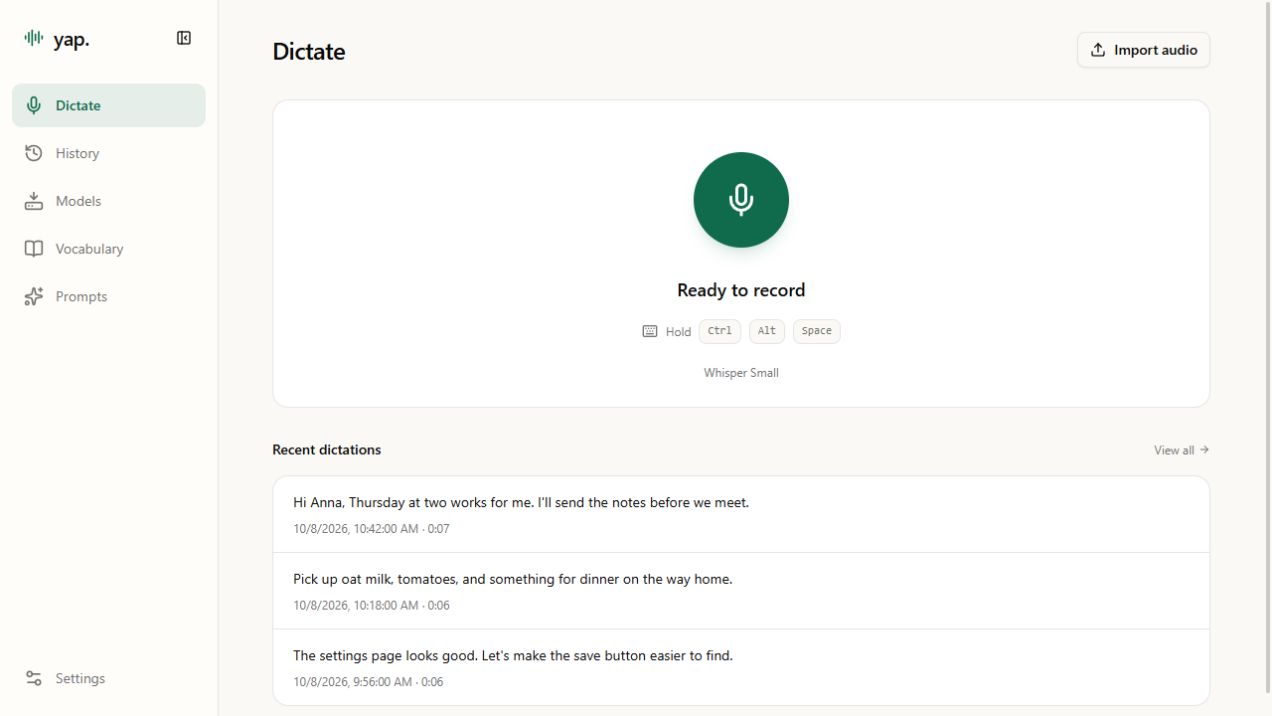
Hold a shortcut, speak, and let go.
Your words appear in the app you’re using.
On your computer. In your own words.
ONE SHORTCUT. THREE STEPS.
Put your cursor in a text field.
Hold Ctrl + Alt + Space.
A message, a note, an idea.
Say it in your own words.
Yap transcribes your voice and
pastes it into the focused app.
Prefer a toggle? Change the shortcut and recording mode in Settings.
Speech recognition runs on your computer. After model setup, you can dictate offline. No account, no cloud transcription, no analytics.
Search your dictation history, edit a transcript, or copy and export it. The original transcription stays intact.
Add names and technical terms to your vocabulary. Set preferred spellings and aliases for the words you use often.
Import an audio file and transcribe it locally. Optional cleanup handles spacing, punctuation, and common filler words.
Audio imports: up to 10 minutes. Formats beyond WAV require optional audio support.
Built for Windows x64. Install a speech model once,
then start with a shortcut.
Public download coming soon.