Download speech models and built-in Gemma text models in Yap. Chat, cleanup, summaries, and dictation run on your computer, without installing another model app.
yap.
Built-in text models
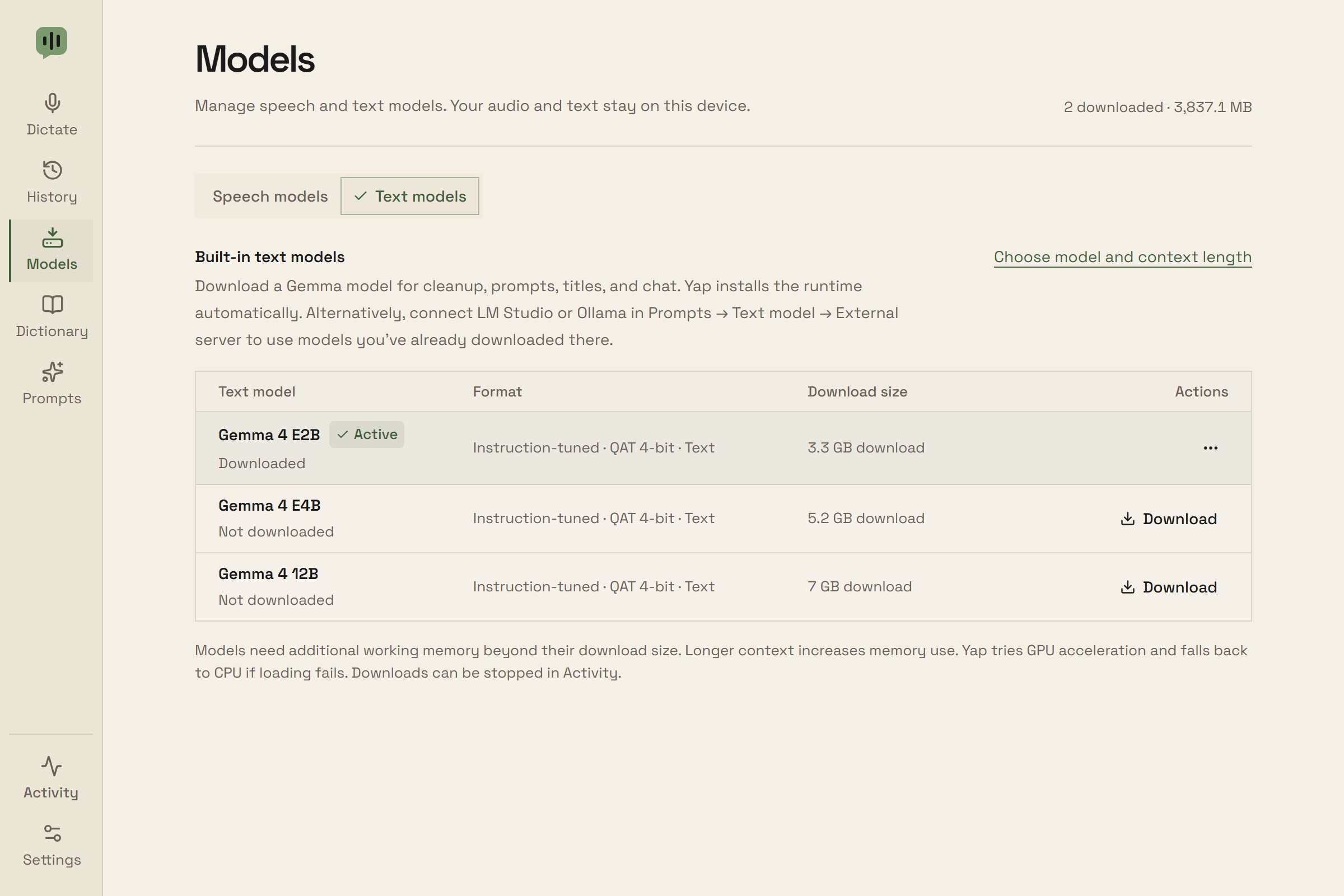
On Windows x64, download Gemma 4 E2B, E4B, or 12B from Models → Text models, then choose Use model. Yap installs its verified llama.cpp runtime automatically.
Use the same local text model for transcript chat, cleanup, summaries, prompts, chains, and title generation.
No LM Studio, Ollama, Python, or separate runtime installation is required.
The initial download needs internet. Inference works offline after setup.
Verify or repair downloads, resume interrupted downloads, and remove models you no longer use.
Context & acceleration
Choose Automatic context length for a conservative default based on system memory, or set it in Prompts → Text model.
The context window is shared by instructions, source text, conversation, and replies. Larger contexts use more working memory.
Yap tries Vulkan GPU acceleration and falls back to CPU if loading fails.
The first request loads the model. Yap unloads it after two idle minutes and stops the worker when you quit.
Whisper
Tiny, Base, Small, Medium, and Large v3 are multilingual options. Smaller models need less storage; larger models use more memory.
Detect the language automatically or select it in Settings.
Custom dictionary provides recognition hints.
NVIDIA Parakeet
Parakeet TDT 0.6B v3 supports 25 European languages with automatic detection.
Yap downloads its native runtime with the model.
Moonshine
Moonshine V2 Tiny, Small, and Medium, plus Moonshine Base, support English.
V2 models also use dictionary hints.
Help me choose
Get a model suggestion based on your language and task, then jump to its download or use action.
Guidance is optional and does not change your settings. You choose whether to download or switch.
Speed and accuracy ratings are qualitative guides; results depend on your computer and audio.
Model management
Search the catalog by model name or language, or filter to your downloaded models. Download and verify models and runtimes in Yap without a Python installation.
Compare relative speed, accuracy, supported languages, and download size. Results depend on your device and audio.
Switch models, remove unused downloads, and repair models or runtimes. Dictation works offline after setup.
Advanced settings support local model files or an existing Whisper installation.