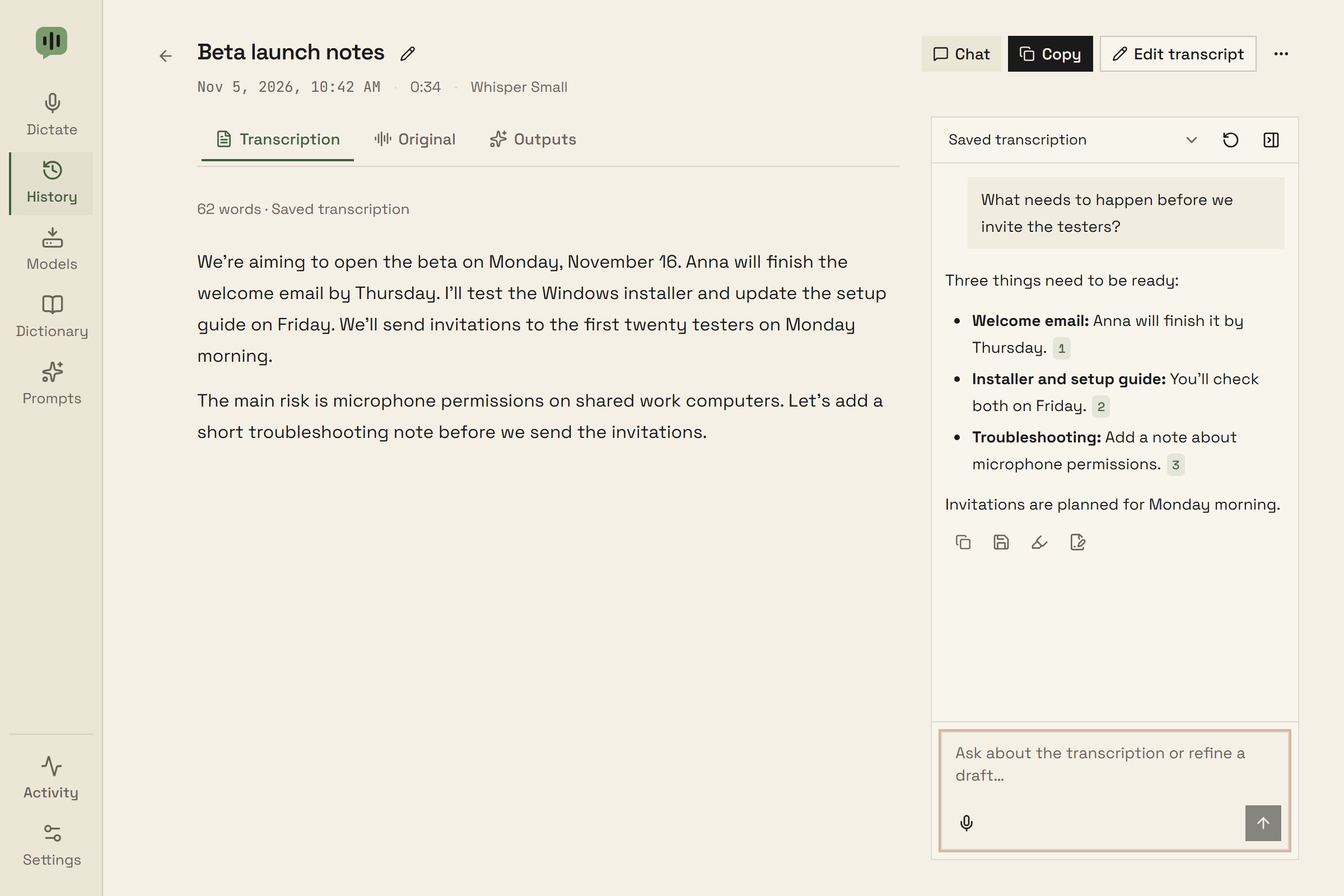
Ask questions, find source passages, and refine drafts beside a saved transcription. Use Yap’s built-in local text model and keep conversations on your computer.
yap.
Ask beside the transcript
Open a saved transcription and choose Chat. On a wide window, the side panel opens alongside the transcript with separate scrolling for each pane. Narrow windows stack the two panes.
Ask a question, extract action items, or refine a draft with follow-up messages while keeping the transcript in view.
Choose the saved transcript or original recognition as the source for new replies.
Chat uses the local text model configured in Prompts, including Yap’s built-in Gemma models.
Stop an unfinished reply, retry a question, or close the panel to give the transcript more space.
Follow the source
Click a passage reference in a reply to scroll to and highlight its source text. Each turn keeps the source snapshot it used.
Select a passage and choose Ask about selection to focus your next question.
Discuss a saved output in chat to keep refining it.
Changed or ambiguous passages are flagged instead of highlighting different text.
Review & reuse
Copy a reply, save it as an output with its source references, or choose Review rewrite to compare changes before applying them.
A rewrite of a selected passage preserves the surrounding text. Other rewrites replace the saved transcript.
The original transcription and revision history remain available.
Saved outputs keep their source snapshots even after you clear the conversation.
Speak your question
Use the microphone in chat to dictate a message with your configured local speech model, then edit it before sending.
Existing typed text stays in the composer.
Voice messages do not create History entries, paste into another app, or retain their audio.
Recordings stop after two minutes; you can cancel or transcribe sooner.
Local conversations
Conversations save locally with their transcripts and are included in backups. Built-in models run on your computer after their initial download.
Older conversation context is summarized automatically while the full visible conversation stays saved.
Clearing chat keeps the transcript and saved outputs. Deleting a transcript moves its chat with it.
The full source transcript must fit the model’s context window. Choose a larger context or a shorter transcript when needed.
Built-in text models are available on Windows x64. External localhost model servers remain an optional alternative.